Your Account
Get tailored support with your TalkTalk account and bills.
- Subscribe to RSS Feed
- Mark Topic as New
- Mark Topic as Read
- Float this Topic for Current User
- Bookmark
- Subscribe
- Mute
- Printer Friendly Page
Unlimited UK Calls Boost


on 19-07-2023 07:16 PM
Hello, Unlimited UK Calls Boost has been added into my recent bill. I can not find any option to remove it from my add-ons. I would like it to be removed from my account since I do not use the telephone please.
- Labels:
-
Boosts
- Mark as New
- Bookmark
- Subscribe
- Mute
- Subscribe to RSS Feed
- Highlight
- Report Inappropriate Content


on 19-07-2023 08:44 PM
That's great, thanks for letting us know. 🙂
- Mark as New
- Bookmark
- Subscribe
- Mute
- Subscribe to RSS Feed
- Highlight
- Report Inappropriate Content
on 19-07-2023 08:23 PM
Thank you very much for your help, I managed to contact support and got my issue solved.
- Mark as New
- Bookmark
- Subscribe
- Mute
- Subscribe to RSS Feed
- Highlight
- Report Inappropriate Content
on 19-07-2023 08:01 PM
You should be seeing a blue chat button like this:
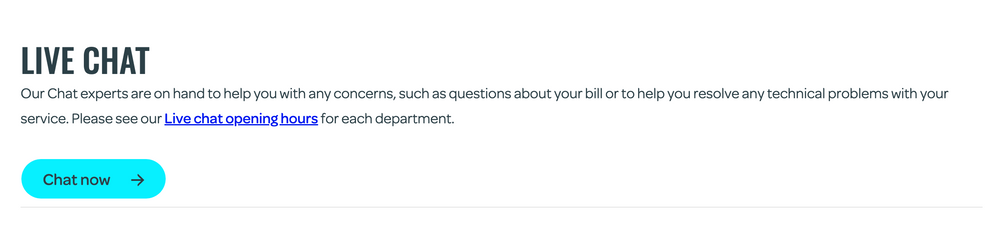
If you can't, then make sure pop up and ad blockers are disabled, or try a different browser.
- Mark as New
- Bookmark
- Subscribe
- Mute
- Subscribe to RSS Feed
- Highlight
- Report Inappropriate Content
on 19-07-2023 07:59 PM
Sorry I do not see a start button option. I see the "Need to speak to someone?" part at the bottom of the page and when I press Yes, it just keeps loading without anything happening.
- Mark as New
- Bookmark
- Subscribe
- Mute
- Subscribe to RSS Feed
- Highlight
- Report Inappropriate Content
on 19-07-2023 07:53 PM
Just click the Start button and choose your options from there, I suggest My Bill or My account in your case.
- Mark as New
- Bookmark
- Subscribe
- Mute
- Subscribe to RSS Feed
- Highlight
- Report Inappropriate Content
on 19-07-2023 07:46 PM
It was added onto my bill on the 11th July. How do I contact support on live chat? Is it the yes or no option on the bottom of the page you linked? When I press it, it just keeps loading without anything happening. Do I just keep waiting for it to load? Thank you.
- Mark as New
- Bookmark
- Subscribe
- Mute
- Subscribe to RSS Feed
- Highlight
- Report Inappropriate Content
on 19-07-2023 07:36 PM
I have moved this to the Billing section for you. Do you know how/why/when was it added? You can arrange for it to be removed by contacting customer services directly, details and opening hours are here:
https://community.talktalk.co.uk/t5/Articles/How-to-contact-TalkTalk-Broadband/ta-p/2230529
- Mark as New
- Bookmark
- Subscribe
- Mute
- Subscribe to RSS Feed
- Highlight
- Report Inappropriate Content
